
NATIONWIDE HUB · NETWORK SECURITY
Connect and protect networks with Sophos
Develop hands-on skills in Sophos Firewall deployment, secure branch connectivity, remote access, traffic management and troubleshooting.
Enquire about this trainingCourse overview
A practical Sophos XGS firewall programme covering initial setup, interfaces, identity, routing, VPNs and web protection. The syllabus uses branch and head-office scenarios with multiple WAN links, MPLS and failover.
Provider: Nationwide Hub
Duration and format: 2+ months · instructor-led online training with hands-on learning. Confirm the current timetable with our team.
Who is this for?
Network administrators, security professionals and IT engineers working with branch connectivity and Sophos firewalls.
Recommended preparation
Basic IP networking, VLAN, routing and firewall knowledge is recommended. Familiarity with command-line troubleshooting will be useful.
What you will learn
- Configure interfaces, zones, objects, policies and NAT.
- Connect branches using IPsec, MPLS, point-to-point links and SD-WAN.
- Manage local-user authentication, certificates and remote-access VPNs.
- Apply web filtering, application control and bandwidth policies.
- Troubleshoot connectivity using logs, CLI and packet captures.
Detailed course syllabus
01 · Platform onboarding
Sophos XGS introduction; account creation, trial setup, Sophos Central registration and licensing workflow. Trial and licensing exercises are subject to vendor availability.
02 · Deployment and resilience
High availability, IPsec and MPLS failover lab topology.
03 · Zones and firewall policies
Zone-based and identity-based firewall rules; wireless controller settings, gateway and bridge modes, and device discovery.
04 · Objects and NAT
IP, MAC and FQDN objects; NAT, destination NAT and port forwarding.
05 · Profiles and administration
Schedules, quotas, access time, bandwidth, decryption profiles, device settings and administrative roles.
06 · Interfaces and WAN connectivity
Bridge and alias interfaces, VLANs, link aggregation, RED tunnels, Wi-Fi, WAN links and multi-ISP connectivity.
07 · Routing and certificates
Routing precedence, static and dynamic routing, SD-WAN, certificate authorities and SSH public keys.
08 · Switch integration and packet analysis
LAG and bridge connections to Cisco switches; tcpdump and dropped-packet captures. Default VLAN 1, Layer 3 switches and static internet routes.
09 · User authentication
Captive portal, local users, client authentication agents and trusting a certificate authority in the browser.
10 · Publishing services and securing access
Destination NAT for multiple web servers; secure WebAdmin, captive and user portals; point-to-point and site-to-site connectivity.
11 · MPLS and branch failover
MPLS 1 and MPLS 2 links between branches and head office; routing, traffic failover and firewall rules.
12 · IPsec operations
Email notifications for WAN and IPsec alerts; route-based and policy-based IPsec; command-line troubleshooting.
13 · Connectivity testing
Point-to-point and MPLS VPN testing, verification and packet captures.
14 · Backup and operational troubleshooting
Automatic email backups; SD-WAN, point-to-point routing and VPN troubleshooting; known-issue workarounds discussed in the lab.
15 · Remote-access VPN
SSL and IPsec clients; clientless portal bookmarks and mobile-platform access.
16 · Web protection
Global web settings, default and custom filters, URL categories and category lookups.
17 · Application control and bandwidth
Application-control policies, schedules, cloud applications, traffic shaping and bandwidth management.
Practical learning
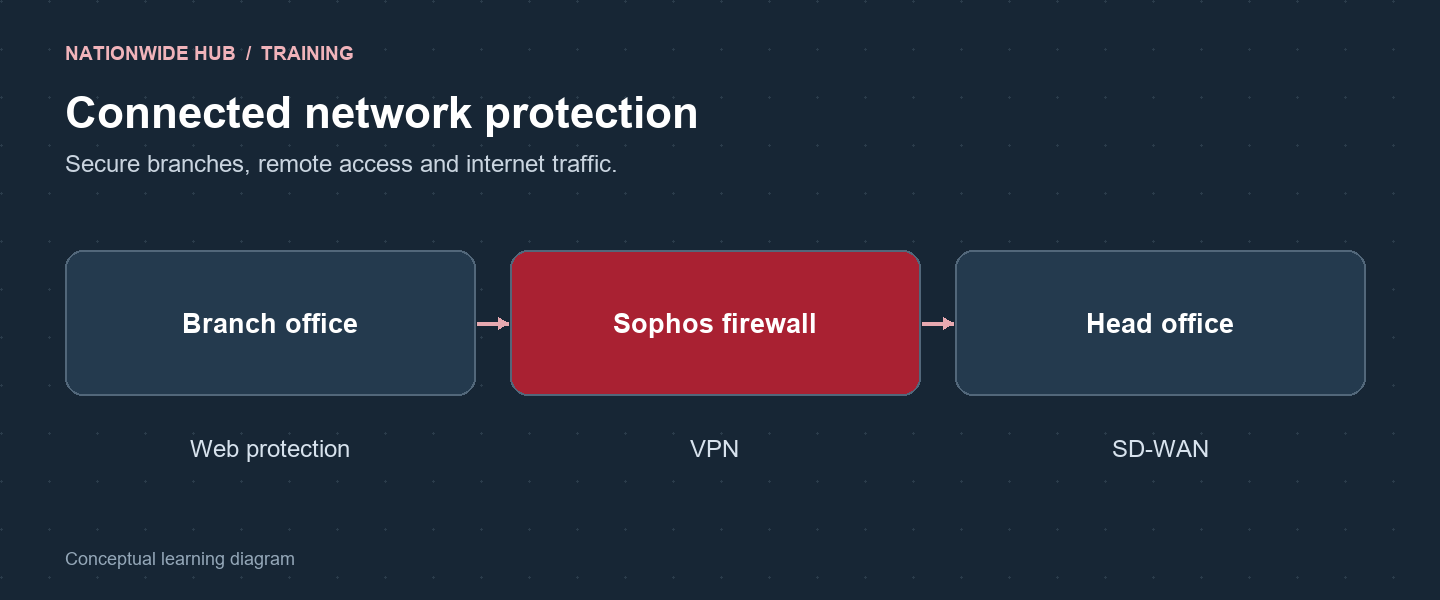
Work through a branch-to-head-office topology with redundant connections, VPNs and failover. Practise NAT publication, captive portal authentication, certificate trust, remote access, web and application policies, backup and packet-level troubleshooting.
Plan your training with Nationwide Hub
Tell us your experience, preferred dates and whether you are booking for yourself or a team. We will confirm the fee, availability, timetable, trainer, lab access and completion arrangements before you enrol.
Frequently asked questions
When does the next course start?
Contact our team for upcoming dates and class times.
How much does it cost?
Request a quote for your course and number of participants.
Does the course include a vendor exam?
Ask our team about certification preparation, exam vouchers and any separate exam requirements.
What equipment will I need?
We will confirm connectivity, software and lab requirements for your cohort.